Updated October 5th, 2026
Note that the generator tool featured in this document is not in the current release of mslicer. Either wait for the next release (v0.10.0), or download a development build if you want to try it out now.
Resin printers allow manufacturing parts with very small feature sizes, down to about 25μm (XY) on a standard consumer-grade printer. The groove on a standard phonograph record is about 80μm wide, there's not much wiggle room, but it's possible to 3D print records. Although you shouldn't expect very good sound quality.
There is no real use case for this, but it's just kinda cool. Yes, that was my entire reason for spending many hours working on this and adding a phonograph record generator to mslicer.
The physical encoding itself is quite straightforward. The disk has a 90° groove cut into it about 25μm-30μm deep, the audio signal then moves the groove diagonally for each channel (see drawing on the right). This has the effect of being backward compatible with mono phonographs because lateral displacement is the sum of both channels.
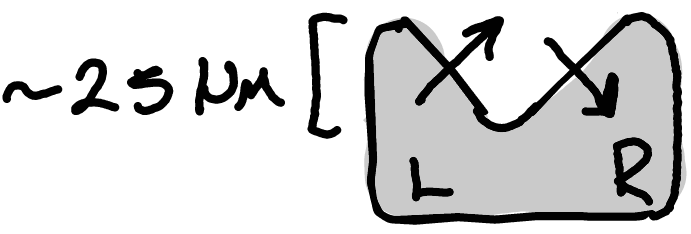
But there is another layer of encoding: RIAA equalization, which is designed to increase recording time (by reducing the average groove width) and improve sound quality. When a record gets mastered, RIAA pre-emphasis is applied, attenuating the low frequencies and boosting the high frequencies. On playback, this gets reversed, which also reduces the high-frequency noise from hiss or clicks.
In order to 3D print a phonograph record, we first need a mesh to slice, bringing us to the new ' Tools › Fun › Phonograph Record' generator. Just load a .wav audio file, pick your settings, click generate, and in about a second you will have a mesh! Unlike real record lathes, this generator doesn't currently add a run-out groove or support variable pitch. But this is just a little experiment, so that's fine.
Note that the mesh can be exported as a .stl or .obj from the models panel for use in other applications. However, since it will likely have tens of millions of faces, slicing with mslicer is your best option. (See my rough slicing speed comparison: Benchmark Results)
Most of the parameters are self-explanatory, but here are some descriptions of the others:
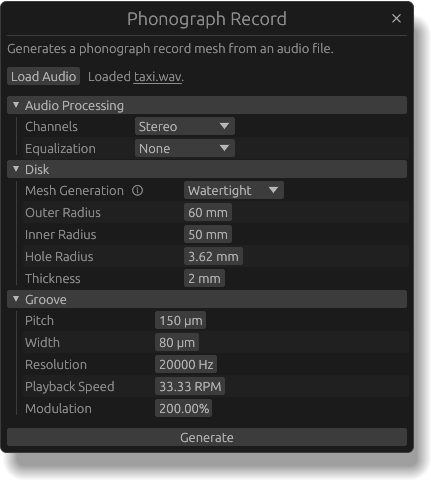
After all that, here is an example generated mesh. I find it pretty cool to see a close-up view of what a phonograph record looks like! (No scanning electron microscope needed).
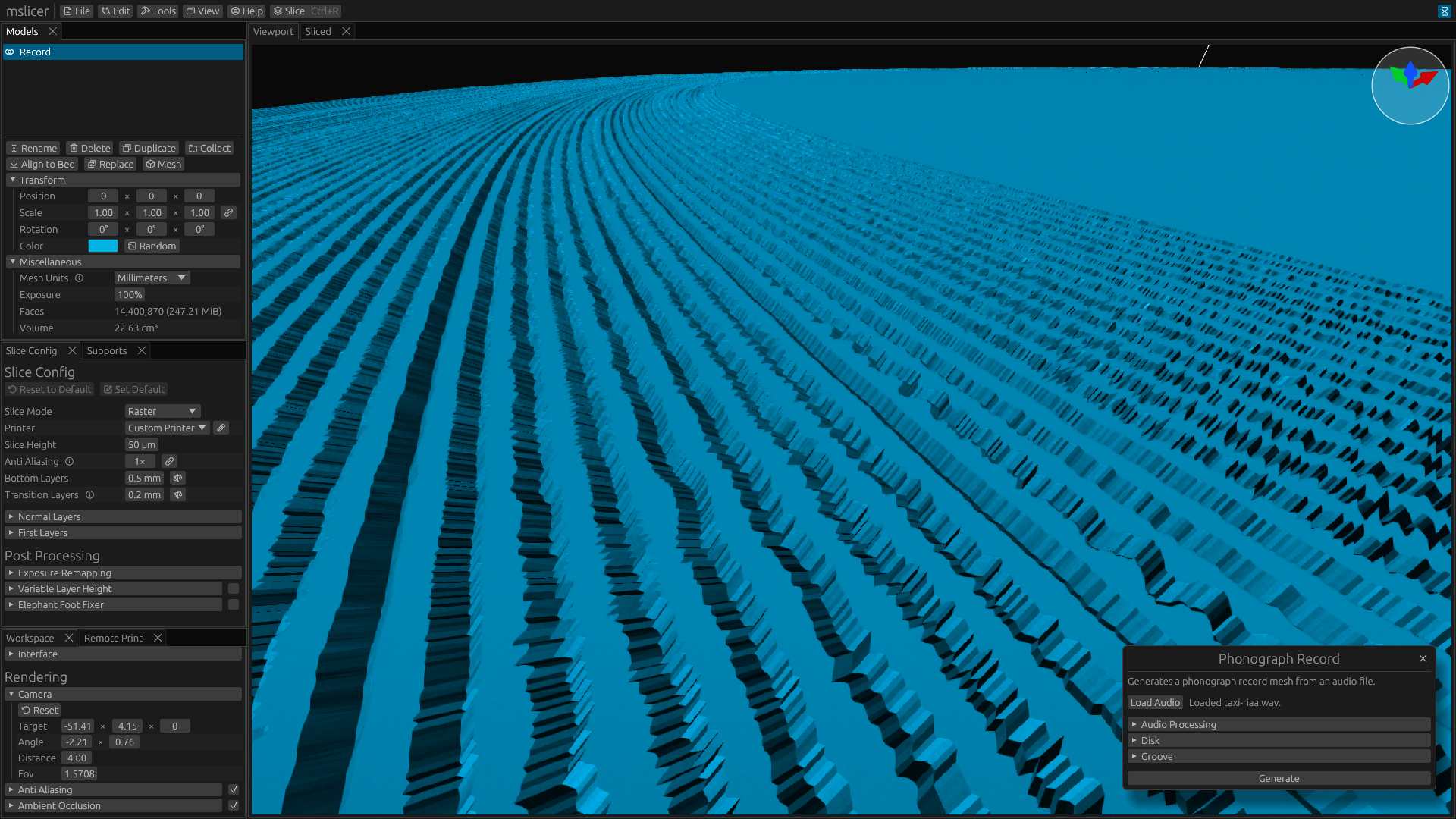
Here is a video of my best test so far, the song is "Taxi" by Charli XCX. I probably should have used something more recognizable (and not unreleased), but it was just the first .wav file I found on my computer.
The quality is... not great, but I think it could be improved by tuning the groove settings more. I'll update this document if I get around to that... But I don't want this little side-quest taking up too much of my time.
If you try this yourself, let me know how it turns out! Here are the settings I changed from the defaults, as a starting point:
| Setting | Value |
|---|---|
| Slice Height | 10μm (With Variable Layer Height) |
| Anti-Aliasing | 125× |
| Pitch | 150μm |
| Playback Speed | 78rpm |
| Resolution | 40kHz |
| Normal Layers | 2.0s ( 10.0s) |
| Bottom Layers | 10.0s ( 10.0s) |
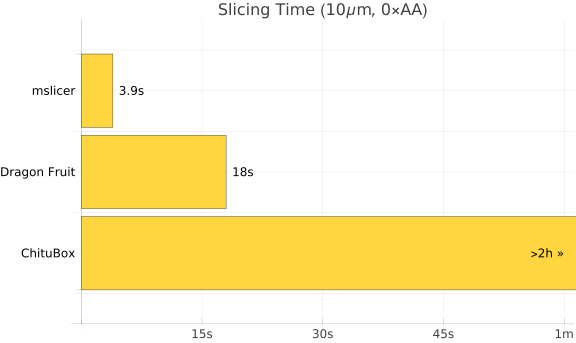
I thought it would be interesting to see how different slicers handle such a high-resolution model, so I did a little benchmark! Sliced for the Saturn 3 Ultra.
Good to see that mslicer is the fastest ☺. Dragon Fruit slicer is not too far behind, although its UI was painfully slow rendering the large model. I left ChituBox slicing for about two hours without it finishing, so I'm not sure exactly how long it would have taken, but that's actually insane compared to 4 seconds.
 mslicer